
What's new in Small Business Server 2011
Local Store
The recent release of Small Business Server (SBS) 2011 sees Microsoft launching a new version of its all-in-one server for small to mid-sized businesses. Again, the new version comes in a variety of editions. If you want to test the new version, you can install a pre-release copy. The trial version [1] is available with a download footprint of around 6.7GB. Besides SBS 2011 Standard and Essentials, Microsoft also offers Windows Server 2008 R2 Foundation for small businesses or departments. I'll compare the capabilities of the three versions.
SBS 2011 Standard
The SBS 2011 Standard Edition continues the tradition established by SBS 2003, 2003 R2, and 2008 and is a state-of-the-art server solution for storage, intranet, patch management, and email in a single box.
The standard edition can be licensed to support up to 75 users. SBS contains the 64-bit version of Windows Server 2008 R2 Standard Edition as its basic operating system, but it does not include SP1. However, you can easily download the service pack, and doing so will additionally queue up Windows Small Business Server Service Pack 1 (see Figure 1) for installation.
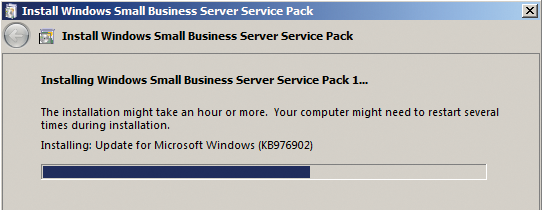 Figure 1: Installing Service Pack 1 for Windows
...

Buy this article as PDF
(incl. VAT)
Buy ADMIN Magazine
Related content
-
Making Small Business Server 2011 fit for 2014
 Never change a running system: If you are happy with your Small Business Server, you don't need to upgrade to the latest Windows server, but you should stay up-to-date. We show the pitfalls of installing updates.
 -
System Center 2012 SP1: What's new?
 Service Pack 1 expands System Center 2012 primarily in terms of features for virtualization and cloud computing. We provide the details in this article.
 -
User licensing in Microsoft networks
 When you buy a Microsoft server license, you don't get client access licenses by default. Client licenses are part of the equation when calculating costs, and admins must come to terms with the many rules that apply.
 -
SQL Server 2008 R2 news
 Just a few months ago, Microsoft published R2, a new minor release of its SQL database server product. We discover what is new in this edition and describe where the various editions differ.
 -
Changes in Exchange Server 2013
 Exchange Server 2013 sees Microsoft complete the latest version of its groupware solution. In this article, we introduce new features in the server and reveal which features have been eliminated.